Reolink Outdoor Cameras Integrated with Frigate: A Practical DIY Guide
Reolink PoE outdoor cameras are popular in DIY Frigate setups because they offer high resolution, RTSP/ONVIF support, local recording options, and onboard smart detection. Frigate adds a different layer: local NVR recording plus AI object detection using a CPU, GPU, or Coral TPU.
This guide focuses on Reolink outdoor cameras that make sense for Frigate: PoE models with RTSP/ONVIF support, reliable wired networking, and useful features such as person/vehicle/animal detection, color night vision, and auto tracking.
Quick Recommendations
| Use case | Recommended Reolink camera | Why |
|---|---|---|
| Best tracking-focused camera | Reolink TrackMix PoE | Dual-lens 4K, pan/tilt tracking, digital tracking, 6X hybrid zoom |
| Best compact PTZ-style outdoor camera | E1 Outdoor PoE | 4K, PoE, 3X optical zoom, pan/tilt, auto tracking |
| Best wide-area coverage | Reolink Duo 3 PoE | 16MP, 180° panoramic view, RTSP/ONVIF, IP67 |
| Best fixed 4K PoE camera for Frigate | CX810 or RLC-824A | Fixed view is often more reliable for AI zones and object tracking |
| Best PT camera without dual lens | RLC-830A | 4K, PoE, pan/tilt, auto tracking, person/vehicle/animal detection |
Why Reolink + Frigate Works Well
Frigate is strongest when cameras provide:
- Stable RTSP streams
- Low-resolution substream for detection
- High-resolution main stream for recording
- ONVIF/RTSP support
- Consistent network connectivity
- Fixed or predictable camera framing
Many Reolink PoE cameras fit this pattern well. The main caveat is that PTZ and auto-tracking cameras can change the scene dynamically, which can complicate Frigate zones, masks, and object tracking.
For most DIY users, the best approach is:
- Use the substream for Frigate detection.
- Use the main stream for recording.
- Let Frigate handle AI object detection.
- Use Reolink onboard AI as a secondary feature, not the core of the Frigate workflow.
- Prefer PoE over Wi-Fi for outdoor Frigate installations.
Product Comparison: Reolink Outdoor Cameras for Frigate
| Camera | Resolution | Lens / View | Tracking | RTSP / ONVIF | Night Vision | Power | Weatherproof |
|---|---|---|---|---|---|---|---|
| Reolink TrackMix PoE | 3840 × 2160, 8MP @ 25fps | Dual lens, 104°–38° horizontal FOV, 6X hybrid zoom | Yes: digital and pan/tilt tracking | RTSP, RTMP, ONVIF not explicitly listed in scraped spec; RTSP listed | IR up to 30m, spotlights | PoE 802.3af / DC 12V | IP65 |
| Reolink Duo 3 PoE | 7680 × 2160, 16MP @ 20fps | Dual lens, 180° horizontal FOV | Motion track, not PTZ tracking | RTSP, RTMP, ONVIF | IR up to 30m, 560 lm spotlights | PoE 802.3af / DC 12V | IP67 |
| RLC-824A | 3840 × 2160, 8MP @ 25fps | Fixed 4.0mm, 85° horizontal FOV | No PT tracking | RTSP, RTMP | Color night vision, 400 lm spotlight | PoE 802.3af / DC 12V | IP66 |
| CX810 | 3840 × 2160, 8MP @ 25fps | Fixed 4.0mm, 93.2° horizontal FOV | No PT tracking | RTSP, RTMP, ONVIF | ColorX true color night vision, no IR | PoE 802.3af / DC 12V | IP67 |
| E1 Outdoor PoE | 3840 × 2160, 8MP @ 25fps | 2.8–8mm, 3X optical zoom | Yes: auto tracking | RTSP, RTMP, ONVIF | IR up to 12m, spotlight up to 12m | PoE 802.3af / DC 12V | IP65 |
| RLC-830A | 3840 × 2160, 8MP @ 25fps | Fixed 4.0mm, 88° horizontal FOV | Yes: pan/tilt auto tracking | RTSP, RTMP | IR up to 30m, spotlight | PoE 802.3af / DC 12V | IP65 |
1. Reolink TrackMix PoE: Best for Auto Tracking
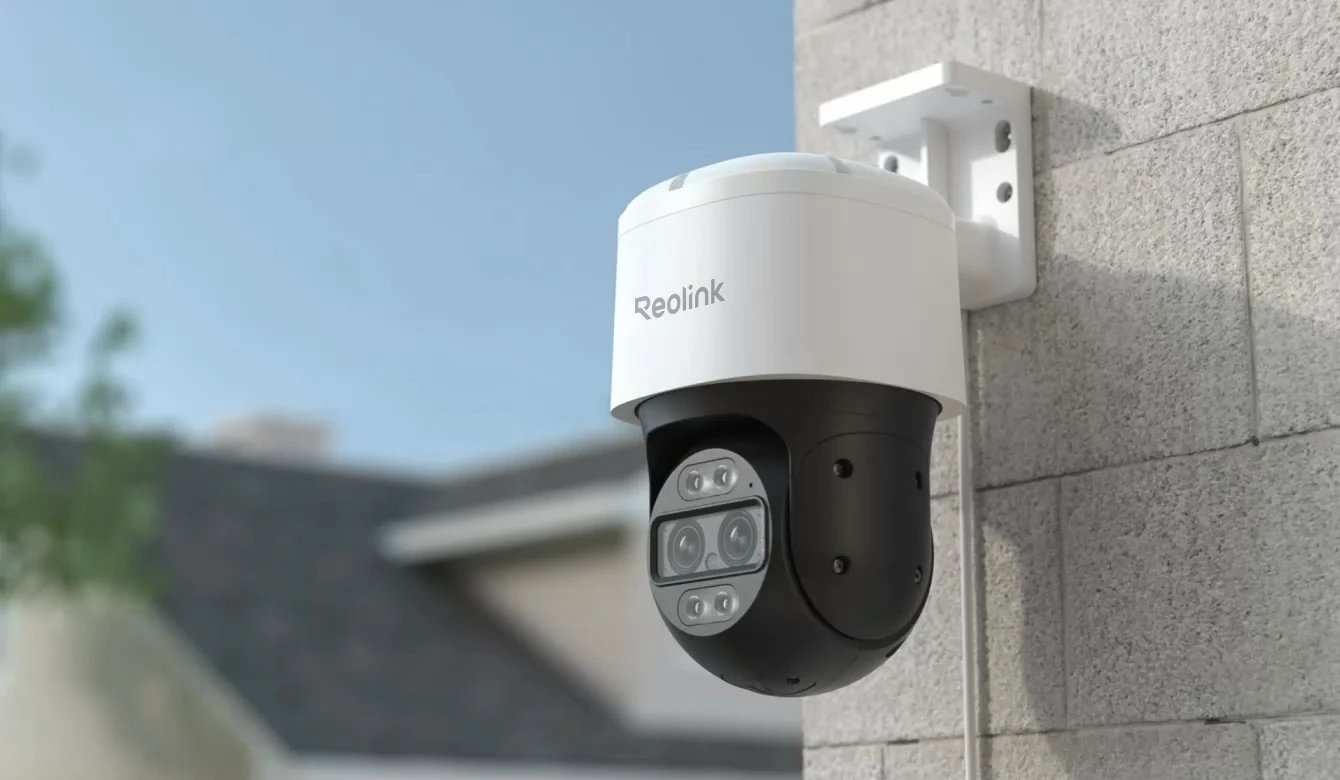
The Reolink TrackMix PoE is one of the most interesting Reolink cameras for Frigate users because it combines a wide-angle view with a telephoto view. It supports 4K video, dual-lens viewing, 6X hybrid zoom, pan/tilt movement, and auto tracking.
Key Specs
| Spec | Reolink TrackMix PoE |
|---|---|
| Resolution | Up to 3840 × 2160, 8MP @ 25fps |
| Image sensor | 1/3” + 1/2.8” CMOS sensor |
| Lens | 2.8mm + 8mm |
| Field of view | Horizontal 104°–38°, vertical 60°–21° |
| Zoom | 6X hybrid zoom |
| Video format | H.264, H.265 |
| Tracking | Digital tracking, pan/tilt tracking first, digital tracking first |
| Pan/Tilt | Pan 355°, tilt 0°–90° |
| Smart alarms | Motion, person, vehicle, animal detection |
| Protocols | RTSP, RTMP, HTTP, HTTPS, FTP, P2P, etc. |
| Storage | microSD up to 512GB |
| Weatherproofing | IP65 |
Frigate Suitability
The TrackMix PoE is excellent if you want Reolink’s onboard tracking features. However, for Frigate, tracking cameras are a mixed bag.
Frigate works best when the scene is stable. If the camera pans and tilts, your Frigate zones and masks move out of alignment. For example, a driveway zone drawn in Frigate may no longer cover the driveway after the camera tracks a person across the yard.
Best Frigate Use
Use TrackMix PoE when:
- You want Reolink’s own auto tracking.
- You want a camera that can follow people, cars, or animals.
- You are comfortable with less rigid Frigate zones.
- You use Frigate mainly for recording and object alerts, not strict zone-based automation.
Pros
- Dual-lens design is useful for wide and zoomed views.
- Strong 4K detail.
- PoE is ideal for outdoor Frigate installations.
- Supports H.264 and H.265.
- Auto tracking is built in.
- Person, vehicle, and animal detection.
Cons
- PTZ movement can interfere with Frigate zones and masks.
- IP65 is good, but less robust than IP66/IP67 models.
- More complex than a fixed camera.
- Frigate does not automatically “use” Reolink tracking as its own AI tracking system.
2. Reolink Duo 3 PoE: Best for 180° Coverage
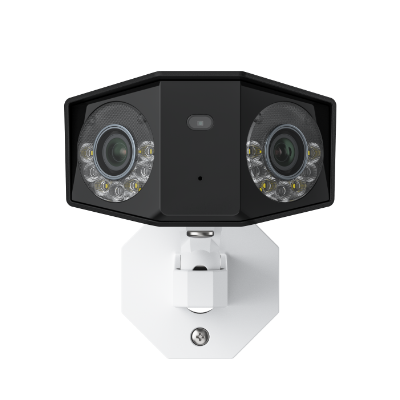
The Reolink Duo 3 PoE is designed for wide coverage. It uses a dual-lens design to create a 180° panoramic image at up to 16MP resolution.
This is useful for front yards, driveways, parking areas, side yards, and other broad spaces where a normal 80–100° camera would miss too much.
Key Specs
| Spec | Reolink Duo 3 PoE |
|---|---|
| Resolution | 7680 × 2160, 16MP @ 20fps |
| Image sensor | 1/2.7” CMOS |
| Field of view | 180° horizontal, 55° vertical |
| Video compression | H.265, H.264 |
| Smart alarms | Motion, person, vehicle, animal detection |
| Protocols | RTSP, RTMP, ONVIF, HTTP, HTTPS, FTP, P2P |
| Night vision | IR up to 30m |
| Color night vision | 8 spotlights, 560 lumens |
| Storage | microSD up to 512GB |
| Weatherproofing | IP67 |
Frigate Suitability
The Duo 3 PoE is compelling for Frigate because one camera can replace two fixed cameras in some locations. Its 180° view is especially useful if you want to detect people or vehicles moving across a wide area.
However, the 16MP stream is heavy. For Frigate, you should almost always use the substream for detection and reserve the main stream for recording.
Best Frigate Use
Use Duo 3 PoE when:
- You need 180° coverage.
- You want fewer cameras covering a wide area.
- Your Frigate server has enough resources for high-resolution recording.
- You are comfortable tuning zones on a panoramic image.
Pros
- Very wide 180° field of view.
- 16MP resolution captures a lot of detail.
- RTSP and ONVIF are listed.
- IP67 weatherproofing.
- Strong option for driveways and yards.
- Person, vehicle, and animal detection.
Cons
- 16MP main stream can be demanding.
- Panoramic image may require careful Frigate zone tuning.
- Not a PTZ tracking camera.
- Some users may prefer two separate fixed cameras for better angle control.
3. RLC-824A: Best Fixed Dome-Style 4K PoE Option
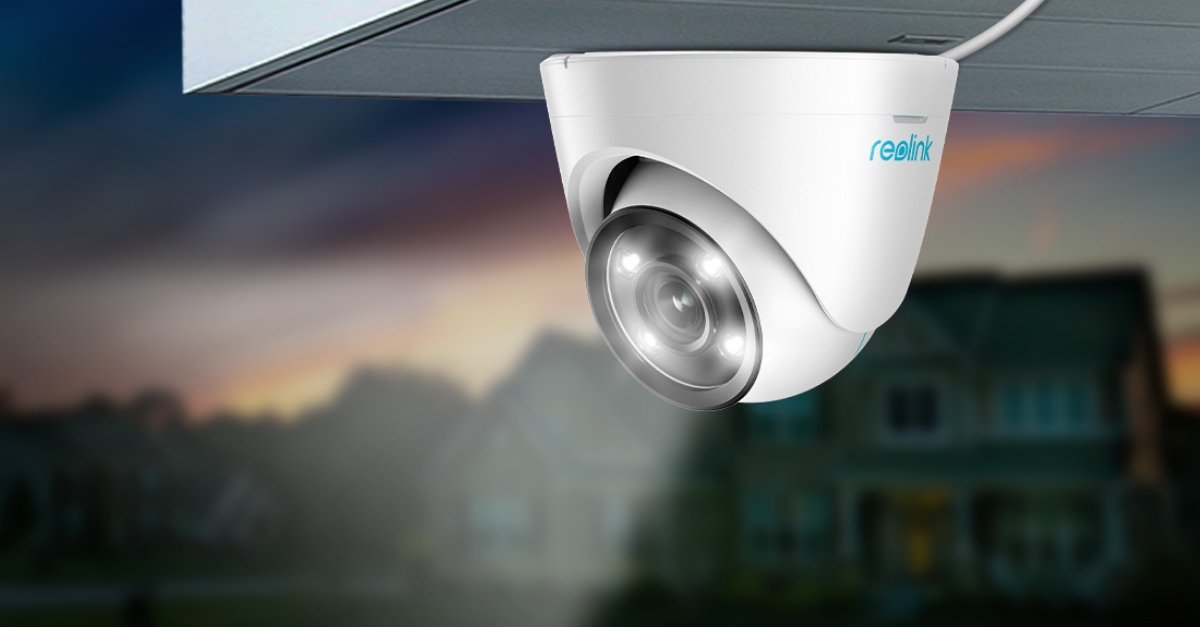
The RLC-824A is a fixed 4K PoE camera with color night vision, two-way audio, and smart person/vehicle/pet detection.
For Frigate, fixed cameras are often easier to work with than PTZ cameras. Zones stay where you draw them, masks remain accurate, and object tracking is more predictable.
Key Specs
| Spec | RLC-824A |
|---|---|
| Resolution | 3840 × 2160, 8MP @ 25fps |
| Image sensor | 1/2.49” CMOS |
| Lens | Fixed 4.0mm, F2.0 |
| Field of view | 85° horizontal, 44° vertical |
| Video format | H.265 |
| Smart alarm | Motion, person, vehicle, pet detection beta |
| Protocols | RTSP, RTMP, HTTP, HTTPS, FTP, P2P |
| Color night vision | 400-lumen spotlight |
| Storage | microSD up to 256GB |
| Weatherproofing | IP66 |
Frigate Suitability
The RLC-824A is a practical Frigate camera if you want a fixed 4K view with good weatherproofing. The main consideration is video format: the scraped specification lists H.265. Frigate can work with H.265 streams, but browser playback compatibility can be more complicated than H.264 depending on your setup.
Best Frigate Use
Use RLC-824A when:
- You want a fixed camera for stable zones.
- You need 4K recording.
- You prefer dome-style installation.
- You want color night vision with spotlights.
Pros
- Fixed view is excellent for Frigate zones.
- 4K resolution at 25fps.
- IP66 weatherproofing.
- Smart person/vehicle/pet detection.
- PoE installation.
Cons
- H.265-only listing may require additional Frigate/go2rtc tuning.
- No optical zoom.
- No pan/tilt tracking.
- microSD maximum is lower than some newer models.
4. CX810: Best for True Color Night Vision
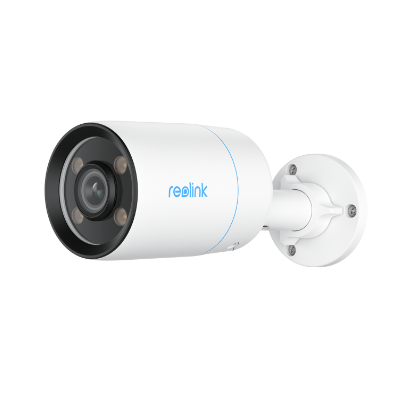
The Reolink CX810 is a 4K PoE camera focused on color night performance. It uses a large 1/1.8” sensor and an F1.0 lens. Unlike traditional IR cameras, the CX810 does not list infrared night vision; instead, it uses ColorX true color night vision with warm spotlights.
Key Specs
| Spec | CX810 |
|---|---|
| Resolution | 3840 × 2160, 8MP @ 25fps |
| Image sensor | 1/1.8” CMOS |
| Lens | 4.0mm, F1.0 |
| Field of view | 93.2° horizontal, 48.2° vertical, 111.6° diagonal |
| Video compression | H.265/H.264 |
| Infrared night vision | N/A |
| Color night vision | 4 spotlights, 400 lumens, max 15m |
| Smart alarms | Motion, person, vehicle, animal detection |
| Protocols | RTSP, RTMP, ONVIF, HTTP, HTTPS, FTP, P2P |
| Storage | microSD up to 512GB |
| Weatherproofing | IP67 |
Frigate Suitability
The CX810 is one of the better fixed Reolink cameras for Frigate if color night footage matters. Because it supports both H.264 and H.265, it gives you more flexibility than cameras that only list H.265.
For object detection, color night footage can help in some environments, but it depends heavily on ambient light and spotlight placement.
Best Frigate Use
Use CX810 when:
- You want a fixed 4K camera.
- You prefer color night footage over black-and-white IR.
- You need RTSP and ONVIF.
- You want IP67 weather protection.
Pros
- Large 1/1.8” sensor.
- F1.0 lens for low-light color capture.
- Supports H.264 and H.265.
- RTSP and ONVIF listed.
- IP67 weatherproofing.
- Fixed view is ideal for Frigate zones.
Cons
- No IR night vision.
- Color night performance depends on available light and spotlight range.
- No optical zoom.
- No pan/tilt tracking.
5. E1 Outdoor PoE: Compact PTZ-Style Outdoor Option
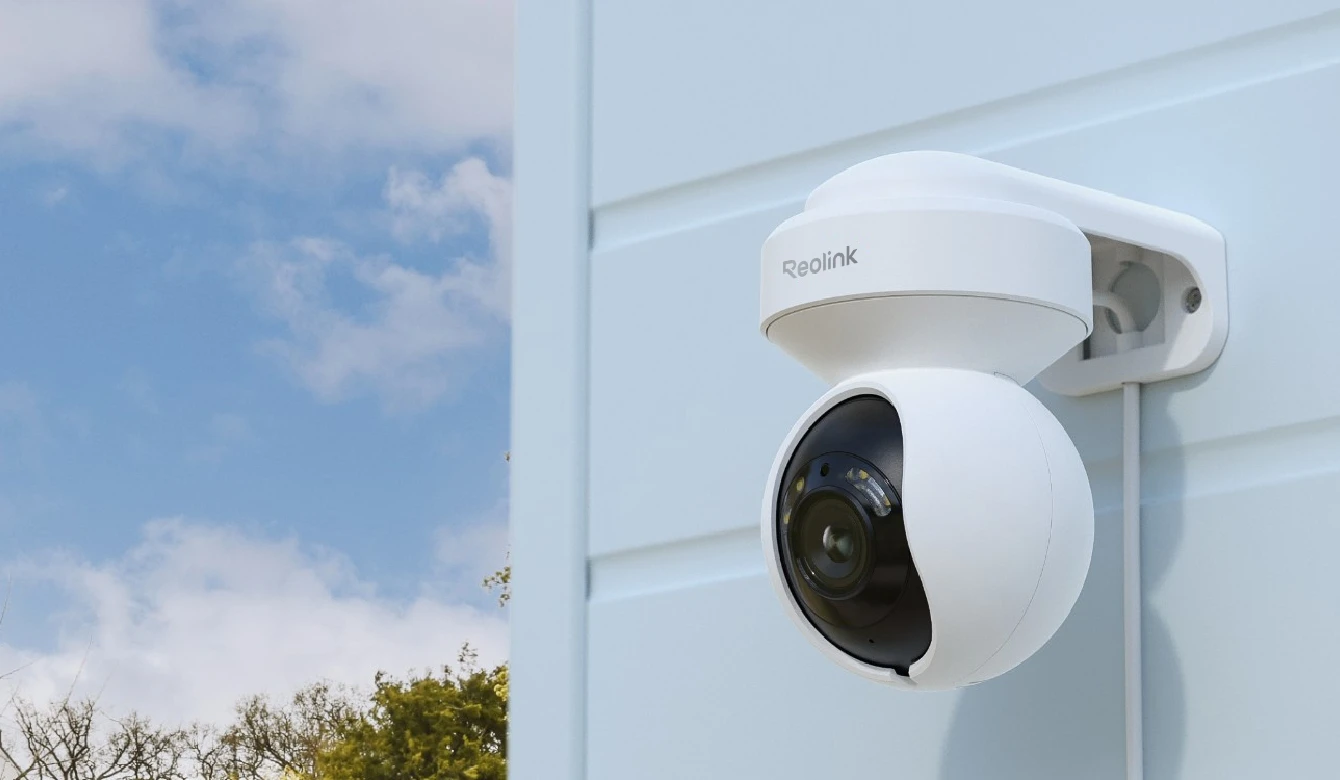
The E1 Outdoor PoE is a compact 4K outdoor camera with pan/tilt, 3X optical zoom, smart detection, and auto tracking.
It is smaller than the TrackMix PoE and has a single lens, making it a more compact option for patios, porches, side yards, and smaller outdoor areas.
Key Specs
| Spec | E1 Outdoor PoE |
|---|---|
| Resolution | 3840 × 2160, 8MP @ 25fps |
| Sensor | 1/2.8” CMOS |
| Lens | 2.8–8mm |
| Zoom | 3X optical zoom |
| Field of view | Horizontal 90°–50°, vertical 53°–30° |
| Pan/Tilt | Pan 355°, tilt 50° |
| Video format | H.265/H.264 |
| Smart alarm | Motion detection, AI detection |
| Protocols | RTSP, RTMP, ONVIF |
| Storage | microSD up to 512GB, Reolink NVR |
| Weatherproofing | IP65 |
Frigate Suitability
The E1 Outdoor PoE is useful when you want a smaller tracking camera, but the same Frigate PTZ warning applies: moving cameras complicate zones.
It is best used where you do not rely heavily on fixed Frigate zones, or where the camera spends most of its time at a guard position.
Pros
- Compact outdoor pan/tilt camera.
- 4K resolution.
- 3X optical zoom.
- PoE support.
- RTSP and ONVIF listed.
- Auto tracking.
Cons
- Tilt range is more limited than larger PTZ-style models.
- IP65 weatherproofing is acceptable but not the strongest.
- Moving view can reduce Frigate zone reliability.
6. RLC-830A: 4K Pan/Tilt with Auto Tracking
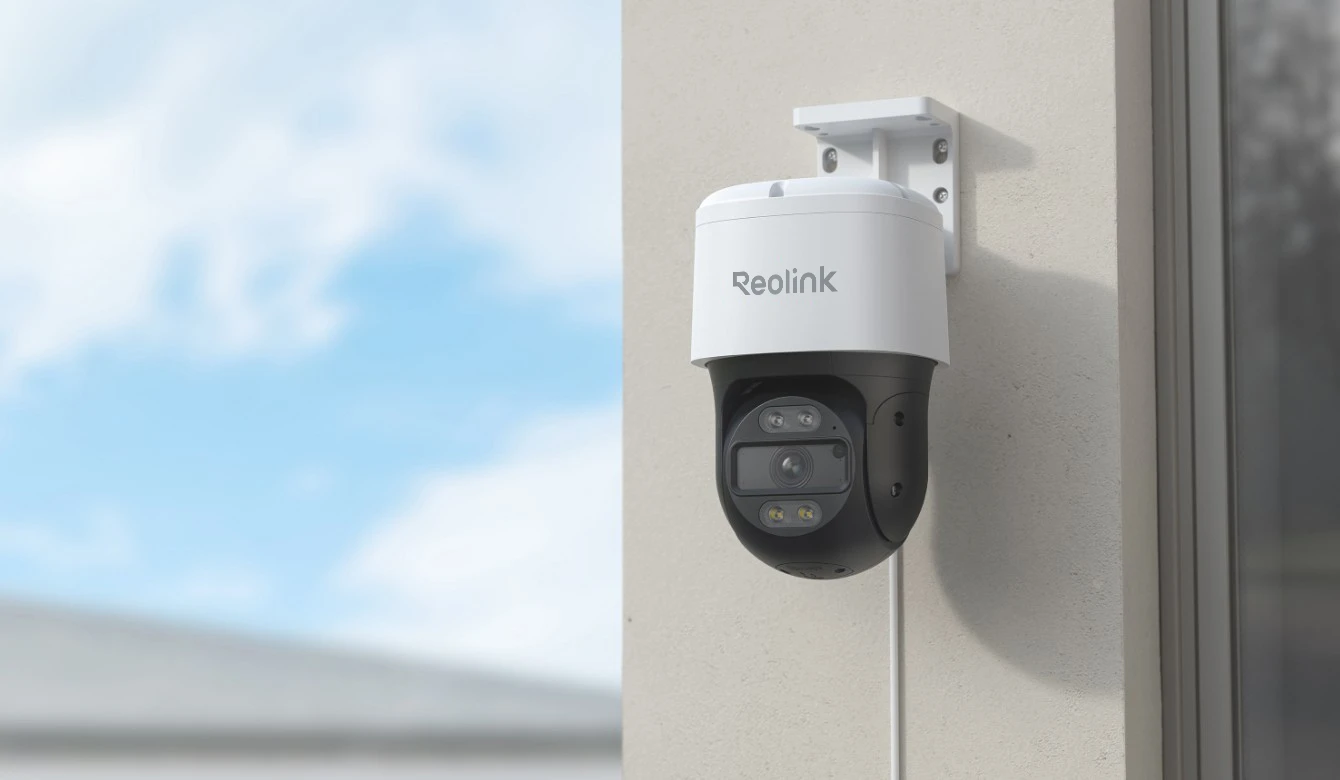
The RLC-830A is a 4K PoE pan/tilt outdoor camera with auto tracking, smart detection, color night vision, and two-way audio.
Compared with the E1 Outdoor PoE, the RLC-830A has a larger body and a 355° pan / 90° tilt range. Compared with the TrackMix PoE, it lacks the dual-lens wide/telephoto design.
Key Specs
| Spec | RLC-830A |
|---|---|
| Resolution | 3840 × 2160, 8MP @ 25fps |
| Image sensor | 1/2.7” CMOS |
| Lens | Fixed 4.0mm, F1.6 |
| Field of view | 88° horizontal, 46° vertical |
| Video compression | H.265 |
| Pan/Tilt | Pan 355°, tilt 90° |
| Auto tracking | Available |
| Smart alarm | Motion, person, vehicle, animal detection |
| Protocols | RTSP, RTMP |
| Storage | microSD up to 256GB, Reolink NVR |
| Weatherproofing | IP65 |
Frigate Suitability
The RLC-830A is a reasonable choice if you want auto tracking but do not need the TrackMix dual-lens system. For Frigate, it is better for general motion recording and alerts than for highly precise zone automations.
Pros
- 4K PoE outdoor camera.
- Pan/tilt auto tracking.
- Person, vehicle, and animal detection.
- 30m IR night vision.
- Color night vision with spotlights.
Cons
- H.265 listed, which may require more Frigate tuning.
- Moving view affects Frigate masks and zones.
- IP65 rather than IP66/IP67.
- No optical zoom listed.
Frigate Integration Basics
Recommended Network Setup
For Frigate, choose PoE cameras whenever possible.
A good DIY topology looks like this:
Reolink PoE Cameras
        │
        ▼
PoE Switch
        │
        ▼
Router / VLAN / LAN
        │
        ▼
Frigate Server
        │
        ▼
Home Assistant / NAS / Storage
Why PoE Is Better Than Wi-Fi for Frigate
PoE gives you:
- More stable RTSP streams
- Lower latency
- Fewer dropped frames
- Single cable for power and data
- Better reliability outdoors
- Cleaner installation
Wi-Fi can work, but continuous RTSP streaming to Frigate is much less forgiving than occasional app viewing.
Enable RTSP and ONVIF on Reolink Cameras
On many Reolink cameras, RTSP and ONVIF may need to be enabled manually.
Typical steps:
- Open the Reolink desktop client or web interface.
- Go to Network or Advanced Network Settings.
- Enable:
- RTSP
- ONVIF, if available
- HTTP/HTTPS, if needed for management
- Set a strong username and password.
- Assign the camera a static IP address or DHCP reservation.
Common Reolink RTSP URLs
Most Reolink cameras use RTSP paths similar to:
Main stream:
rtsp://USERNAME:PASSWORD@CAMERA_IP:554/h264Preview_01_main

Sub stream:
rtsp://USERNAME:PASSWORD@CAMERA_IP:554/h264Preview_01_sub
Example:
rtsp://admin:[email protected]:554/h264Preview_01_main
rtsp://admin:[email protected]:554/h264Preview_01_sub
Even if the camera supports H.265, the RTSP path may still include h264Preview. The actual codec depends on the camera stream settings.
Recommended Frigate Configuration for Reolink
A common Frigate pattern is:
- Substream for detection
- Main stream for recording
- Optional go2rtc restreaming for better stability
Example Frigate Config for One Reolink Camera
mqtt:
  enabled: true
  host: 192.168.1.10

go2rtc:
  streams:
    driveway_main:
      - rtsp://admin:[email protected]:554/h264Preview_01_main
    driveway_sub:
      - rtsp://admin:[email protected]:554/h264Preview_01_sub

cameras:
  driveway:
    ffmpeg:
      inputs:
        - path: rtsp://127.0.0.1:8554/driveway_sub
          roles:
            - detect
        - path: rtsp://127.0.0.1:8554/driveway_main
          roles:
            - record

    detect:
      width: 640
      height: 360
      fps: 5

    objects:
      track:
        - person
        - car
        - dog
        - cat

    record:
      enabled: true
      retain:
        days: 7
        mode: motion

    snapshots:
      enabled: true
      retain:
        default: 7
Adjust detect.width and detect.height to match your camera’s substream resolution.
Example Object Zones
For a driveway camera:
cameras:
  driveway:
    zones:
      driveway_zone:
        coordinates: 0.12,0.45,0.92,0.43,0.95,0.95,0.08,0.96
        objects:
          - person
          - car
For fixed cameras like the CX810, RLC-824A, or Duo 3 PoE, zones are highly useful.
For PTZ/tracking cameras like the TrackMix PoE, E1 Outdoor PoE, or RLC-830A, use zones carefully because the camera view can move.
Reolink AI vs Frigate AI
This is one of the most important points.
Reolink Camera AI
Many Reolink cameras support onboard detection for:
- Person
- Vehicle
- Animal
- Pet, depending on model
- Motion events
This works inside the Reolink app and ecosystem.
Frigate AI
Frigate performs its own object detection using the video stream. It can detect objects such as:
- Person
- Car
- Dog
- Cat
- Bicycle
- Motorcycle
- Bus
- Truck
- Bird, depending on model
Frigate does not need Reolink’s onboard AI to detect objects. It analyzes the stream independently.
Which Should You Use?
For a Frigate-centered DIY system:
| Feature | Use Reolink AI | Use Frigate AI |
|---|---|---|
| Reolink app notifications | Yes | No |
| Home Assistant automation | Sometimes | Yes |
| Local NVR object detection | No | Yes |
| Zone-based alerts | Limited | Yes |
| Multi-camera event management | Limited | Yes |
| Object snapshots/clips | Limited | Yes |
| PTZ auto tracking | Yes, on supported models | Limited/manual/custom |
Best practice: use Frigate as the main AI layer and treat Reolink AI as a bonus.
Tracking Cameras and Frigate: Important Limitations
Auto tracking sounds ideal, but with Frigate it can be complicated.
The Problem
Frigate zones and masks are based on fixed image coordinates.
If a PTZ camera moves, then:
- A driveway zone may become a wall zone.
- A sidewalk mask may move away from the sidewalk.
- Object tracking may become less consistent.
- Alerts can become harder to tune.
Best Practices for Reolink Tracking Cameras
For TrackMix PoE, E1 Outdoor PoE, and RLC-830A:
- Set a guard point/home position in the Reolink app.
- Keep auto tracking duration reasonable.
- Avoid highly specific Frigate zones unless the camera usually returns to the same view.
- Use object filters to reduce false positives.
- Consider using tracking cameras for monitoring and fixed cameras for automation-critical zones.
A strong setup might be:
- TrackMix PoE watching the front yard generally.
- CX810 fixed on the driveway for reliable Frigate alerts.
- Duo 3 PoE covering a wide front approach.
Installation Guide
Step 1: Choose Camera Locations
Prioritize:
- Entry points
- Driveway
- Garage
- Side gates
- Backyard access
- Package delivery area
- Long sight lines
Avoid:
- Directly facing the sun
- Heavy tree movement
- Reflective walls
- Areas with constant headlights
- Mounting too high for useful face/body detail
For Frigate, mounting height matters. A camera mounted too high may see people as small blobs, reducing detection accuracy.
Good outdoor mounting height is often around 2.5–3.5 meters, depending on the area.
Step 2: Run Ethernet
Use outdoor-rated Ethernet where exposed.
Recommended:
- Cat5e or Cat6
- Solid copper cable, not CCA
- Weatherproof junction box
- Drip loop before cable entry
- PoE switch with enough power budget
Most of the cameras covered use IEEE 802.3af active PoE, but always verify total power budget when installing multiple cameras.
Step 3: Configure Camera Streams
In the Reolink app/client:
- Set the main stream to high quality for recording.
- Set the substream to lower resolution for detection.
- Prefer H.264 for easier compatibility where available.
- Use H.265 if you want storage efficiency and your Frigate/playback setup handles it well.
- Disable unnecessary overlays if they interfere with detection.
Suggested starting point:
| Stream | Use | Suggested settings |
|---|---|---|
| Main stream | Recording | 4K, 15–25fps, high bitrate |
| Substream | Detection | 640×360 or similar, 5–10fps |
| Audio | Optional | Enable only if needed |
Step 4: Add Camera to Frigate
Start with one camera before adding several.
Use VLC or ffprobe to test the RTSP URL first:
ffprobe rtsp://admin:[email protected]:554/h264Preview_01_subIf it works, add it to Frigate.
Step 5: Tune Detection
In Frigate:
- Start with
personandcar. - Add animals only if needed.
- Use masks for trees, roads, and bright reflections.
- Use zones for meaningful areas.
- Lower detection FPS to reduce CPU load.
- Increase object confidence thresholds if you get false positives.
Example object filter:
objects:
  track:
    - person
    - car

  filters:
    person:
      min_area: 2500
      threshold: 0.75
    car:
      min_area: 5000
      threshold: 0.7
Troubleshooting Reolink + Frigate
Problem: No RTSP Stream
Check:
- RTSP is enabled in Reolink settings.
- Username/password are correct.
- Camera IP address is correct.
- Port 554 is reachable.
- Camera is not isolated on a VLAN without routing rules.
Test with:
ffprobe rtsp://user:pass@camera-ip:554/h264Preview_01_mainProblem: Frigate Uses Too Much CPU
Solutions:
- Use substream for detection.
- Reduce detect FPS to 5.
- Use a Coral TPU, Intel Quick Sync, VAAPI, or supported hardware acceleration.
- Avoid using 4K streams for detection.
- Limit tracked object types.
Do not run detection directly on the 16MP main stream from the Duo 3 PoE unless your hardware is sized for it.
Problem: Playback Issues with H.265
Some Reolink cameras support or default to H.265. H.265 is efficient, but browser playback support can be inconsistent.
Options:
- Set the camera stream to H.264 if available.
- Use go2rtc.
- Keep H.265 for recording but use H.264 substream for detection/live view.
- Use hardware acceleration for transcoding if needed.
Problem: False Alerts at Night
Try:
- Adjusting Reolink spotlight settings.
- Adding Frigate masks for trees, road areas, and reflections.
- Increasing object threshold.
- Reducing camera exposure sensitivity if available.
- Avoiding scenes with insects directly in front of IR/spotlights.
For the CX810, remember that it depends on color night visibility rather than IR.
Problem: Zones Break on Auto-Tracking Cameras
This is expected with PTZ movement.
Solutions:
- Use a fixed guard point.
- Use broad zones only.
- Avoid zone-critical automations on PTZ cameras.
- Add a fixed camera for the critical zone.
Which Reolink Camera Should You Choose for Frigate?
Choose Reolink TrackMix PoE if…
You want the most advanced tracking-focused Reolink PoE camera. It is best for active monitoring and situations where auto tracking matters more than perfectly stable Frigate zones.
Choose Reolink Duo 3 PoE if…
You need to cover a very wide area with one camera. It is excellent for panoramic monitoring, but plan your Frigate hardware and storage around the large 16MP main stream.
Choose CX810 if…
You want a fixed 4K camera with strong color night performance and good Frigate compatibility. Its H.264/H.265 support, RTSP/ONVIF listing, and IP67 rating make it one of the best balanced options.
Choose RLC-824A if…
You want a fixed 4K PoE dome-style camera with color night vision and stable framing for Frigate zones.
Choose E1 Outdoor PoE if…
You want a compact outdoor pan/tilt camera with PoE, 4K, optical zoom, and auto tracking.
Choose RLC-830A if…
You want a 4K pan/tilt Reolink camera with auto tracking but do not need the dual-lens TrackMix design.
Final Recommendation
For most Frigate DIY installations, the best strategy is not to use only one type of camera.
A strong Reolink + Frigate setup would look like this:
| Area | Recommended camera |
|---|---|
| Driveway | CX810 or RLC-824A |
| Front yard wide view | Duo 3 PoE |
| Active tracking area | TrackMix PoE |
| Porch or patio | E1 Outdoor PoE |
| Side yard | CX810, RLC-824A, or RLC-830A |
If you want the most reliable Frigate alerts, prioritize fixed PoE cameras. If you want active subject following, add a TrackMix PoE or another Reolink tracking camera, but understand the zone/mask tradeoffs.
For a balanced DIY system, my practical recommendation is:
- CX810 for fixed 4K color night detection.
- Duo 3 PoE where you need 180° coverage.
- TrackMix PoE only where auto tracking is genuinely useful.
- Use Frigate’s AI as the primary detection system.
- Use Reolink AI and tracking as secondary camera-side features.
Reolink PoE cameras can work very well with Frigate, especially when you design the system around stable RTSP streams, substream detection, wired networking, and realistic expectations about PTZ tracking.